


How to book

Booking takes four steps on our reservation site, where you can also check availability straight away.
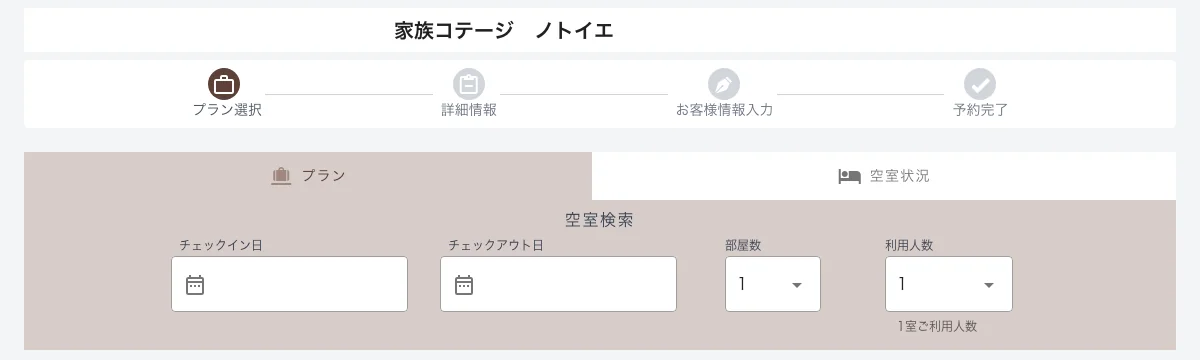
If your dates are set, enter them and choose from the list of plans.
-
01
Choose dates and guests
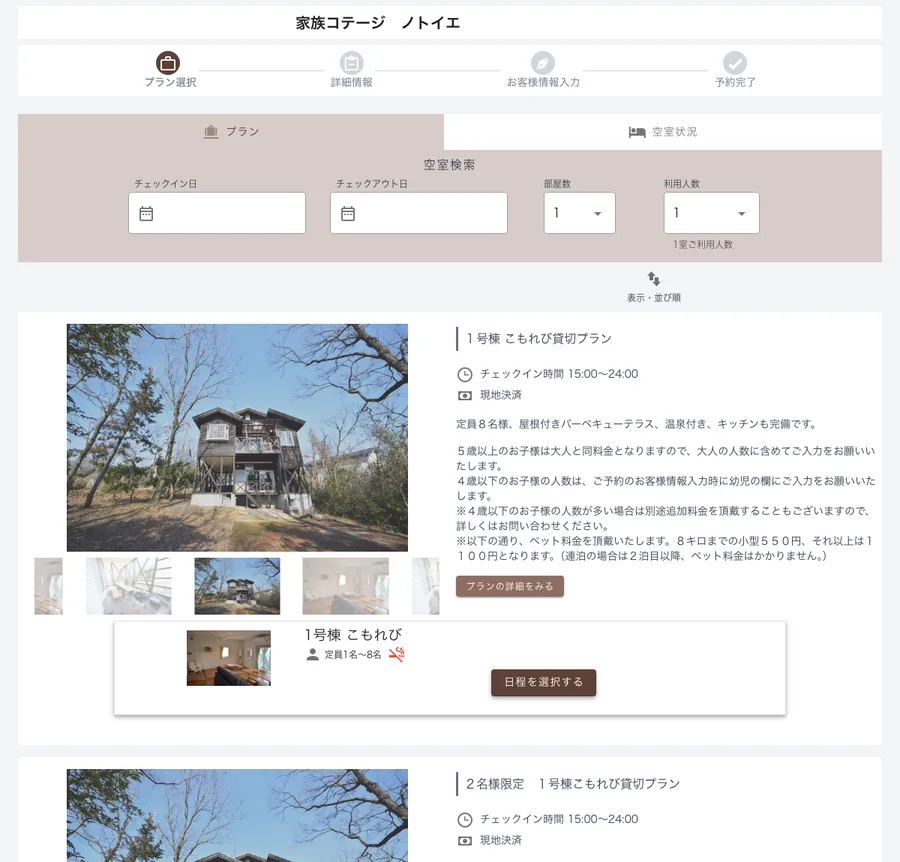
On the “プラン” (Plans) screen of the booking site, use “空室検索” (Search availability) at the top to choose your check-in and check-out dates, the number of rooms and the number of guests. You can also enter dates with “日程を選択する” (Select dates) under each plan.
-
02
Choose a plan
Plans for the cottages available on those dates are shown with the total price. Press “予約する” (Book) on the plan for the cottage you want.
-
03
Enter your details
Enter your name, contact details and other required information. Creating an account makes future bookings quicker.
-
04
Booking complete
Check the details and confirm your booking. A confirmation email will be sent to the address you registered.

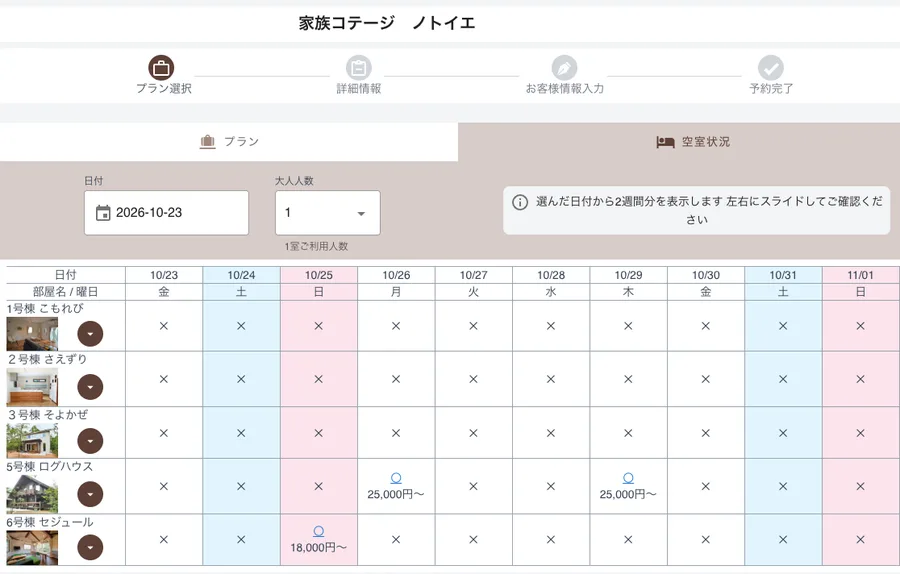
If you haven't decided on dates, you can check availability for each cottage first.
-
01
Check availability
On the “空室状況” (Availability) screen of the booking site, choose a date and the number of adults. Availability for each cottage is shown for the two weeks from that date (on a smartphone, swipe the table left and right).
-
02
Pick an available date
“〇” means available and “✕” means fully booked. A guide price is shown under each “〇”. Press the “〇” for the cottage and date you want.
-
03
Choose a plan
A one-night stay from that date is filled in, and that cottage's plans are shown with the total price. For a longer stay, change the check-out date first, then press “予約する” (Book) on the plan you want.
-
04
Enter your details and complete the booking
Enter your name, contact details and other required information, check everything and confirm your booking. A confirmation email will be sent to the address you registered.
* Screens are for illustration. The display may differ depending on the booking system. Feel free to ask us by phone or LINE.